Description
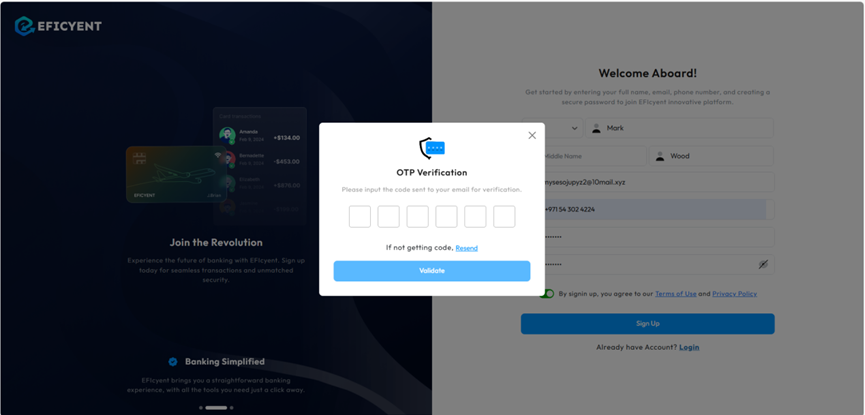
- Once you've logged in or signed up, an OTP will be sent to your registered email.
- Check your inbox (including spam/junk folders) or messages for the OTP code.
- On the OTP Verification screen, enter the 6-digit code you received into the provided fields.
- Click the Validate button to confirm.
- If you didn’t receive the code, click Resend to request a new one.
Was this article helpful?
That’s Great!
Thank you for your feedback
Sorry! We couldn't be helpful
Thank you for your feedback
Feedback sent
We appreciate your effort and will try to fix the article